

The billing section of the client area holds your invoices, quotes, account credit and saved cards. Open it with Billing in the menu on the left.
Open the billing section
Log in to the client area.
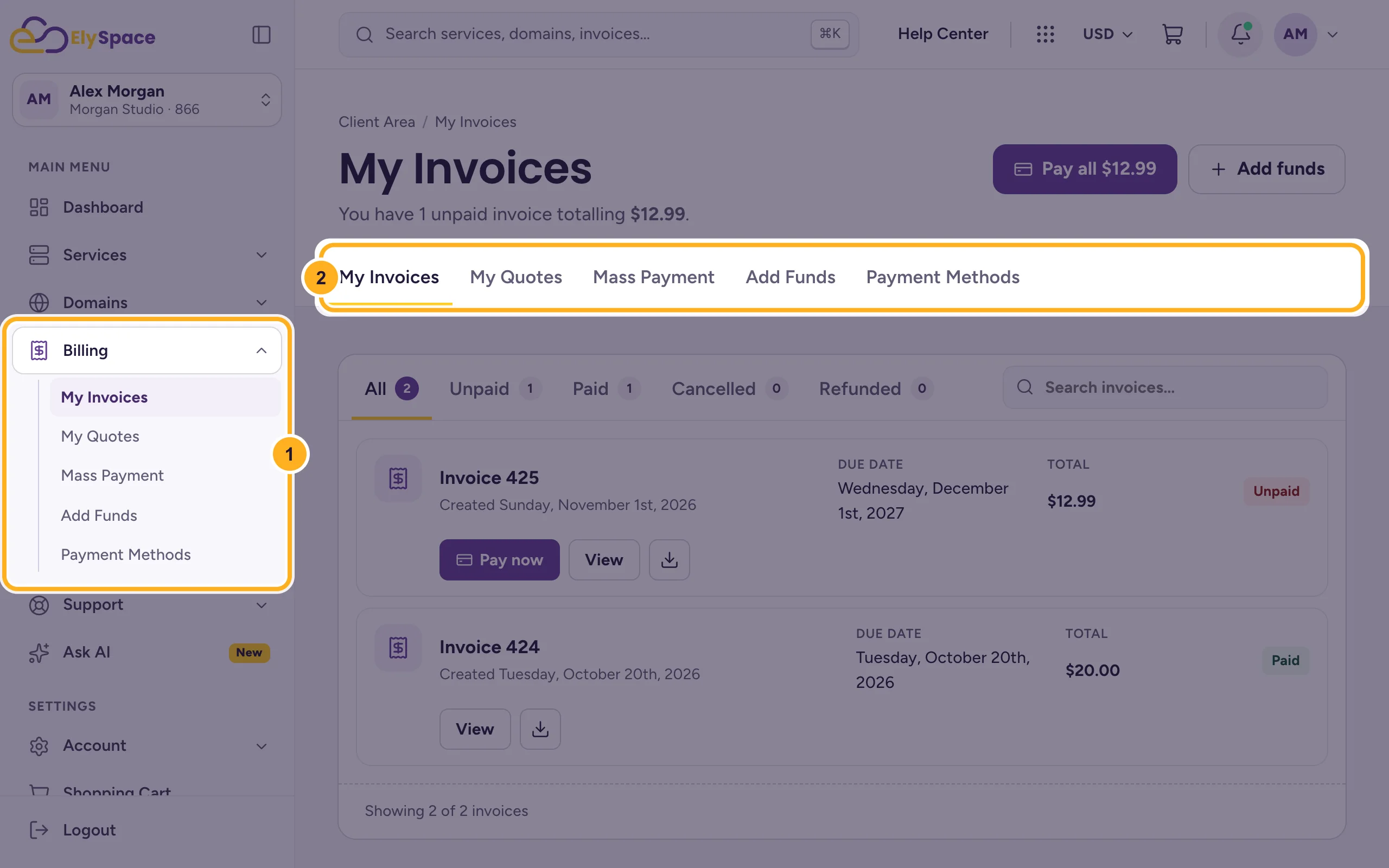
Click Billing in the menu on the left. The same five pages also appear as tabs at the top of every billing page:
- The Billing menu on the left.
- The tabs My Invoices, My Quotes, Mass Payment, Add Funds and Payment Methods.
What each page is for
| Page | What you do there |
|---|---|
| My Invoices | See, pay, print and download your invoices. See Pay an invoice. |
| My Quotes | Read quotes we prepared for you and accept them. |
| Mass Payment | Pay all unpaid invoices in one go. |
| Add Funds | Pay money in advance as account credit. |
| Payment Methods | Save a card that pays your invoices automatically. |
Find an invoice
My Invoices lists every invoice with its number, creation date, due date, total and status.
Use the list tools:
- The status tabs All, Unpaid, Paid, Cancelled and Refunded filter the list. The small number shows how many invoices each tab has.
- Search invoices finds an invoice by its number or amount.
- Each invoice has Pay now (only while it is unpaid), View and a download button for the PDF.
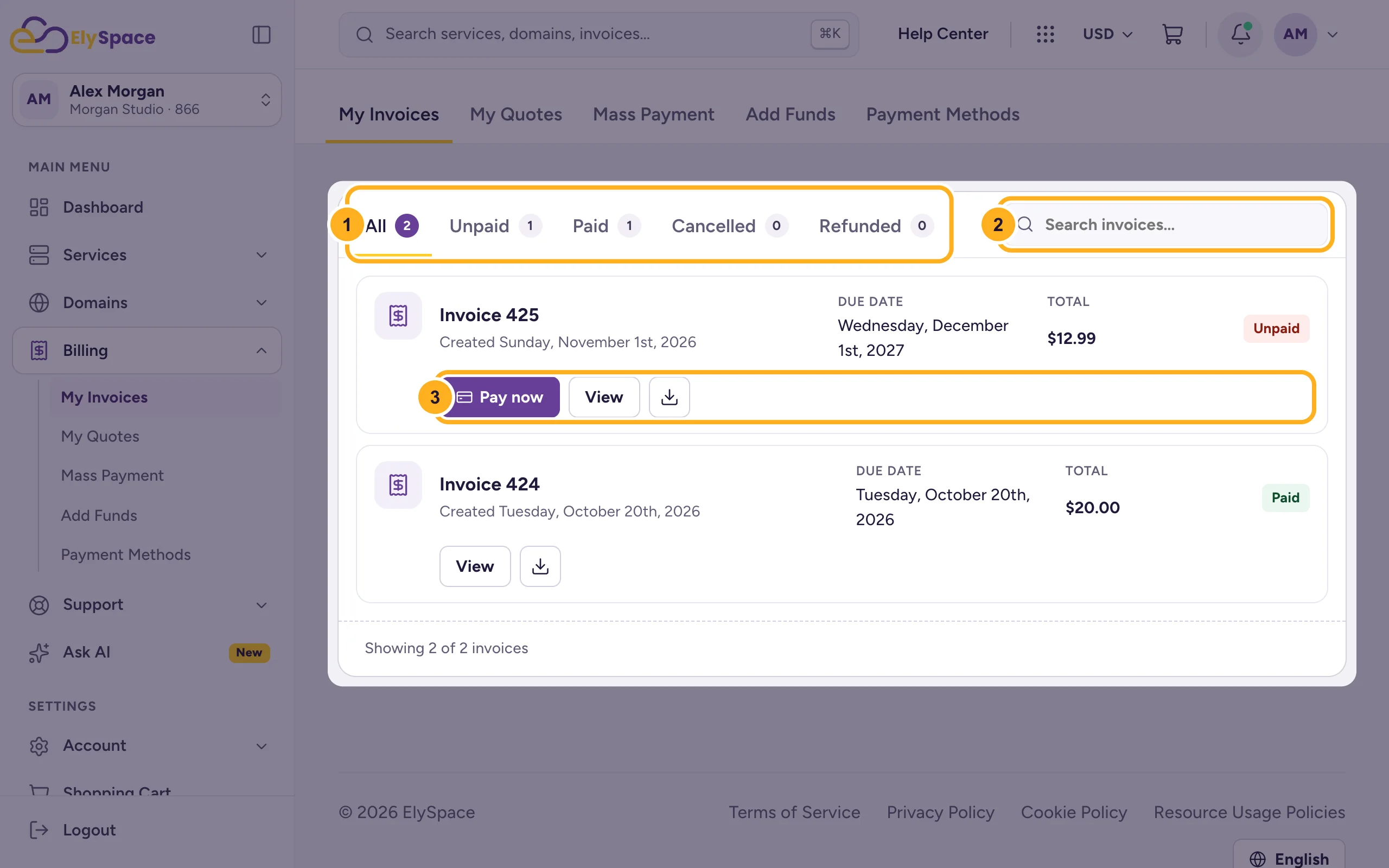
At the top of the page you see how many invoices are unpaid and their total, next to the Pay all and Add funds buttons.
See the payments on an invoice
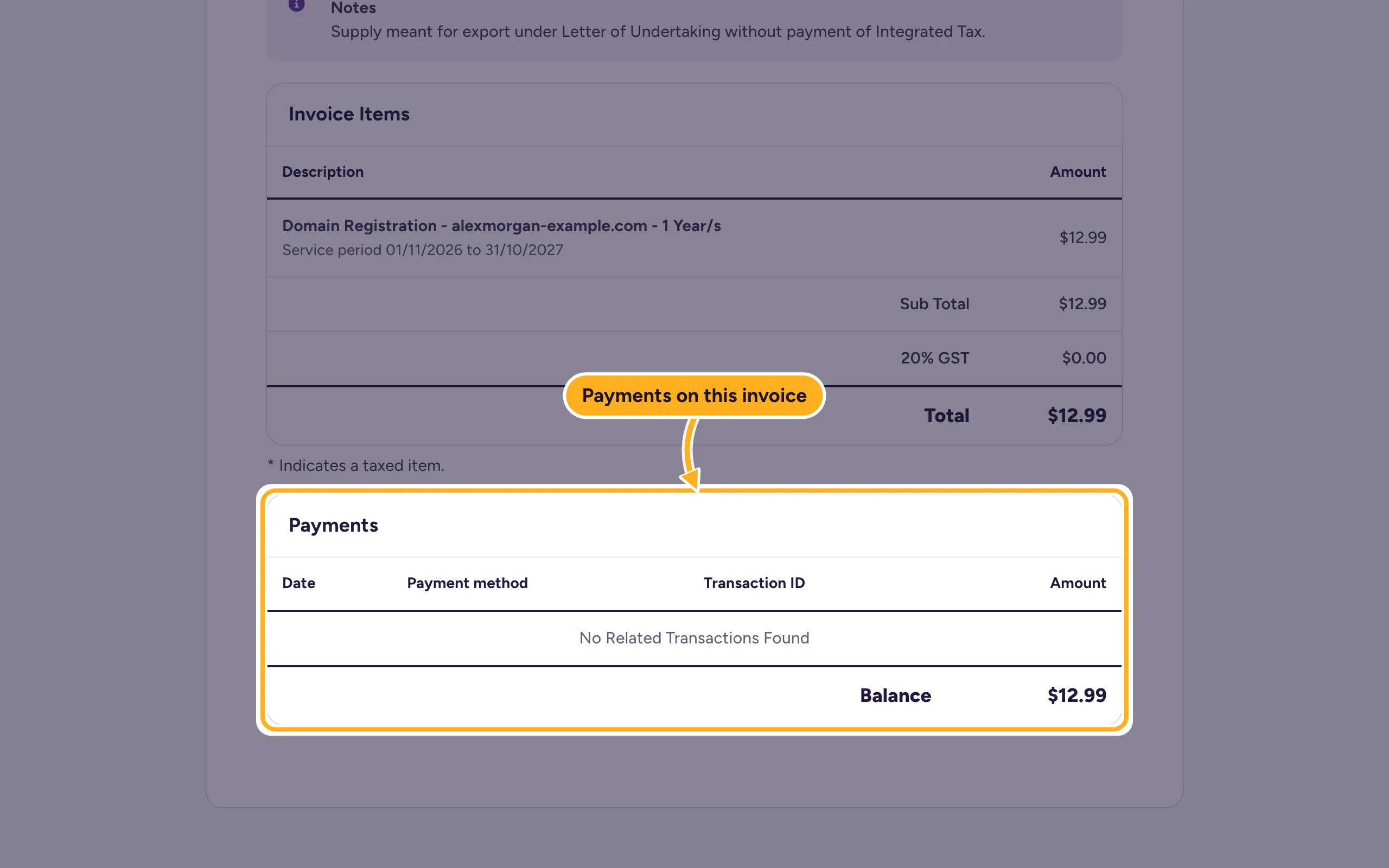
There's no separate transactions page. Every payment is listed on the invoice it paid: open the invoice with View and scroll down to Payments. It shows the date, payment method, transaction ID and amount of each payment, and the Balance that is still open.
Quotes
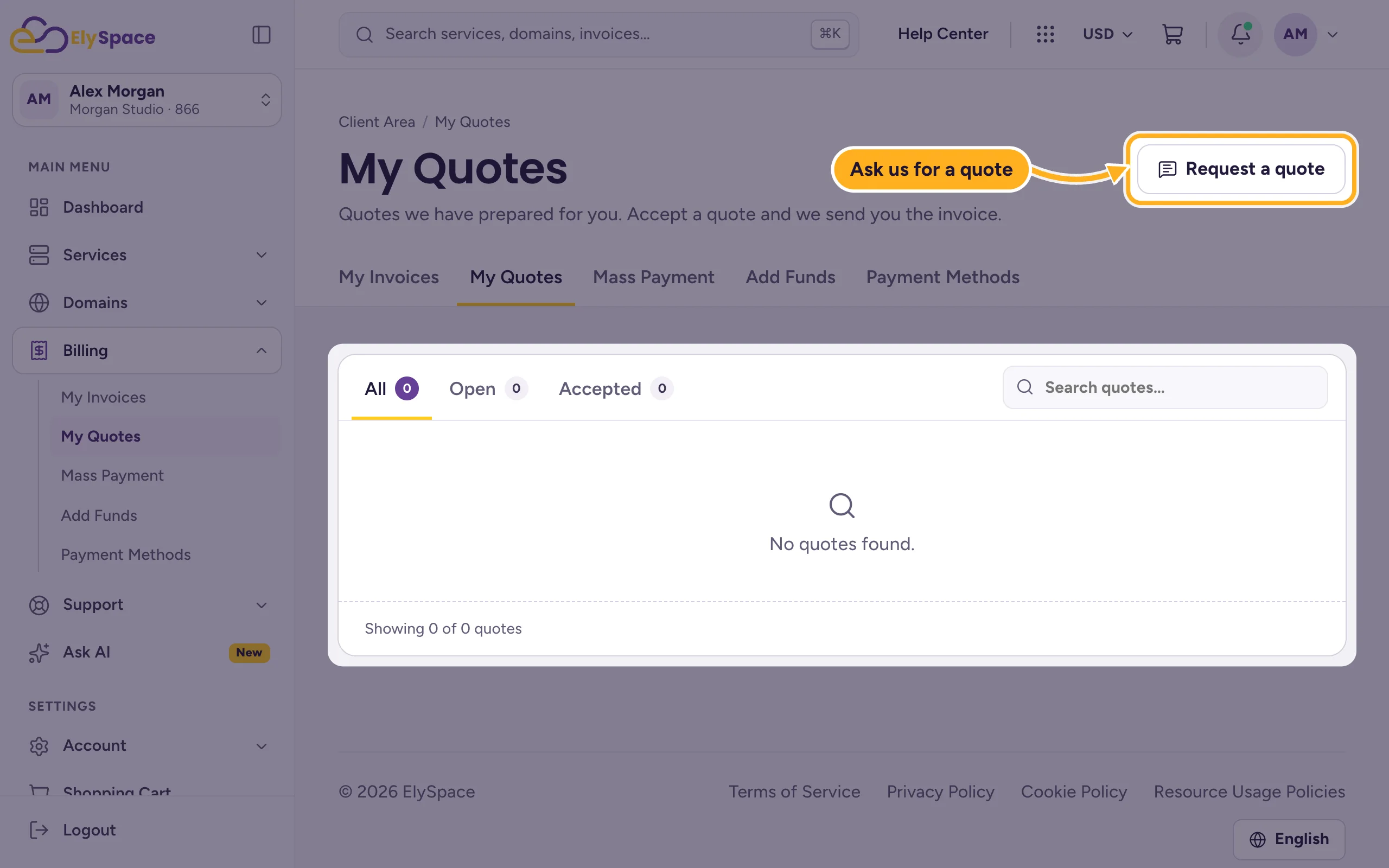
My Quotes lists the quotes we have prepared for you, filtered by All, Open and Accepted. When you accept a quote, we send you the invoice for it. To ask for a quote, for example for a custom server, click Request a quote: it opens a support ticket.
Common problems
The invoice number is different from the number in the address bar
That's normal. Use the number shown on the invoice (for example "Invoice 425") when you contact us. The number in the web address is an internal ID.
You can't find an invoice
Click All first; a status tab may be hiding it. If you have more than one ElySpace account, check that you're logged in to the right one.
Related articles
- Pay an invoice
- Download or print an invoice (PDF)
- Add funds to your account (account credit)
- Renewals, due dates and suspension explained
Still stuck? Open a support ticket and we'll help.
